
Routine management for real life
A better way to manage recurring responsibilities.
Useful Routine helps you track recurring responsibilities, see what is due, and keep a reliable record of what got done without rebuilding the same list over and over.
Scheduling
Fixed or from last completion
Visibility
Current, overdue, upcoming
Shared use
Solo or shared routines
Why it exists
Stop rebuilding the same task list over and over.
Most task apps are optimized for one-off tasks. Useful Routine is built for responsibilities that repeat over time and need better timing, visibility, and follow-through.
Built for real-life routines
Track maintenance, chores, inspections, and other repeatable hands-on responsibilities without rebuilding the same list.
See what happened
Know when something was completed, when it was skipped, and who handled it.
Use it alone or together
Keep everyone involved aligned on what needs attention and what was already handled.
Why Useful Routine is different
A better fit for infrequent but important work.
Most task apps are built around one-off tasks or simple recurring reminders. Useful Routine is designed for responsibilities that happen less often, need flexible scheduling, and benefit from a clear record of what was done.
Designed for work that is easy to forget
Especially useful for maintenance, renewals, and recurring responsibilities that do not happen every day.
Flexible schedule logic
Some routines belong on the calendar. Others should restart after the work is actually completed.
Plan ahead without inbox clutter
Use reminder windows to stay ahead of upcoming work while keeping the main queue focused.
Core capabilities
Everything you need for recurring work.
Set up each routine once, schedule it around the way real life works, and keep a dependable record over time.
Recurring routines
Create the routine once and let the system keep track instead of recreating the task each cycle.
Flexible scheduling
Use fixed schedules or set the next routine based on time since the last completion.
Clear due states
Work from a practical queue of current, overdue, and upcoming routines.
Completion history
Answer real questions like when it was last done, whether it was skipped, and who handled it.
Shared visibility
Give everyone involved a clear view of what needs attention and what was already handled.
Reminder windows
Get daily summaries and optional heads-up reminders before due work becomes urgent.
Product walkthrough
Useful Routine stays clear even when the work repeats.
See how recurring work moves from setup to what needs attention next and a clear record of what happened.
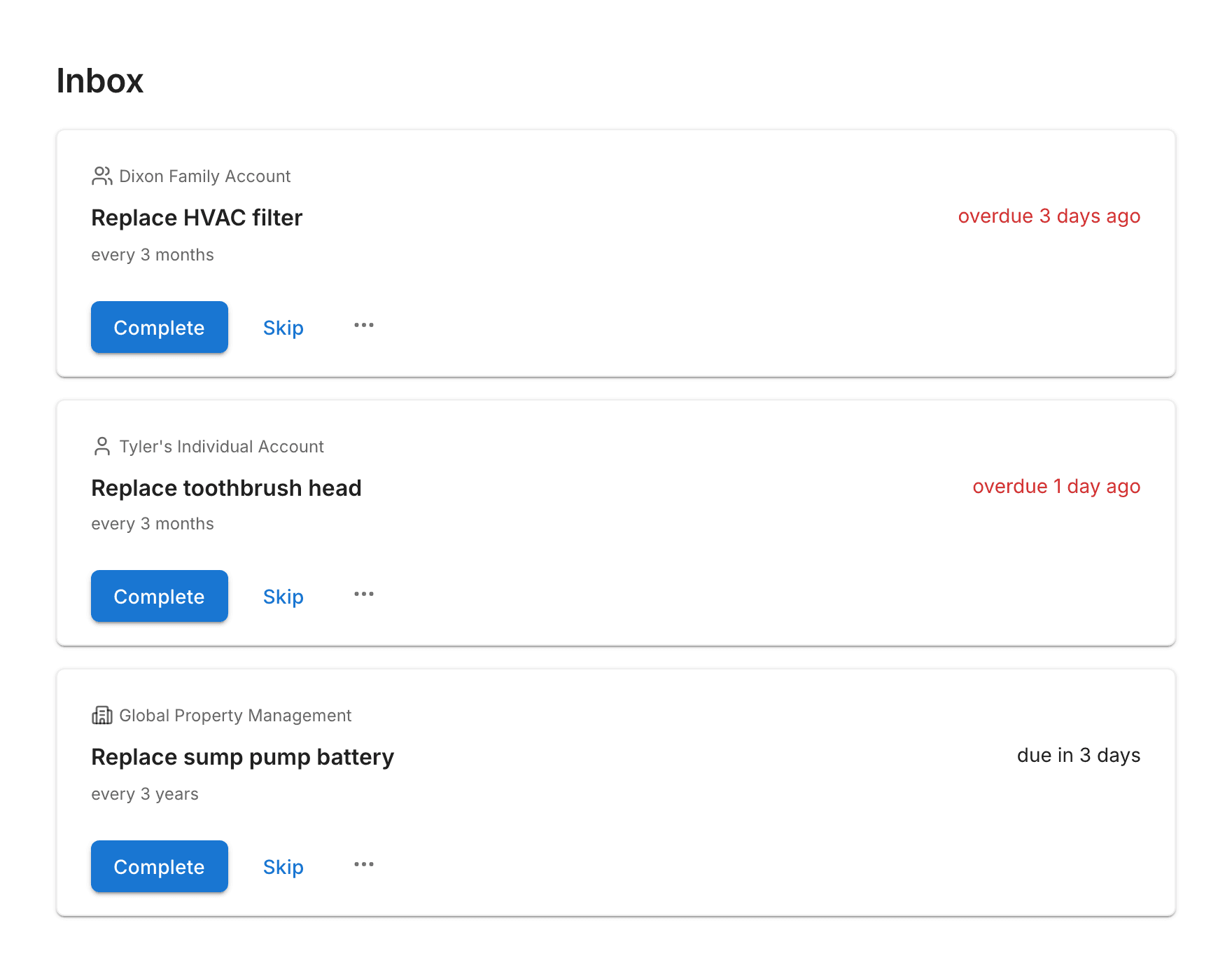
Product detail
Designed for recurring work
Set up responsibilities once and keep track of them over time, especially the ones that are easy to forget because they are not daily.
Product detail
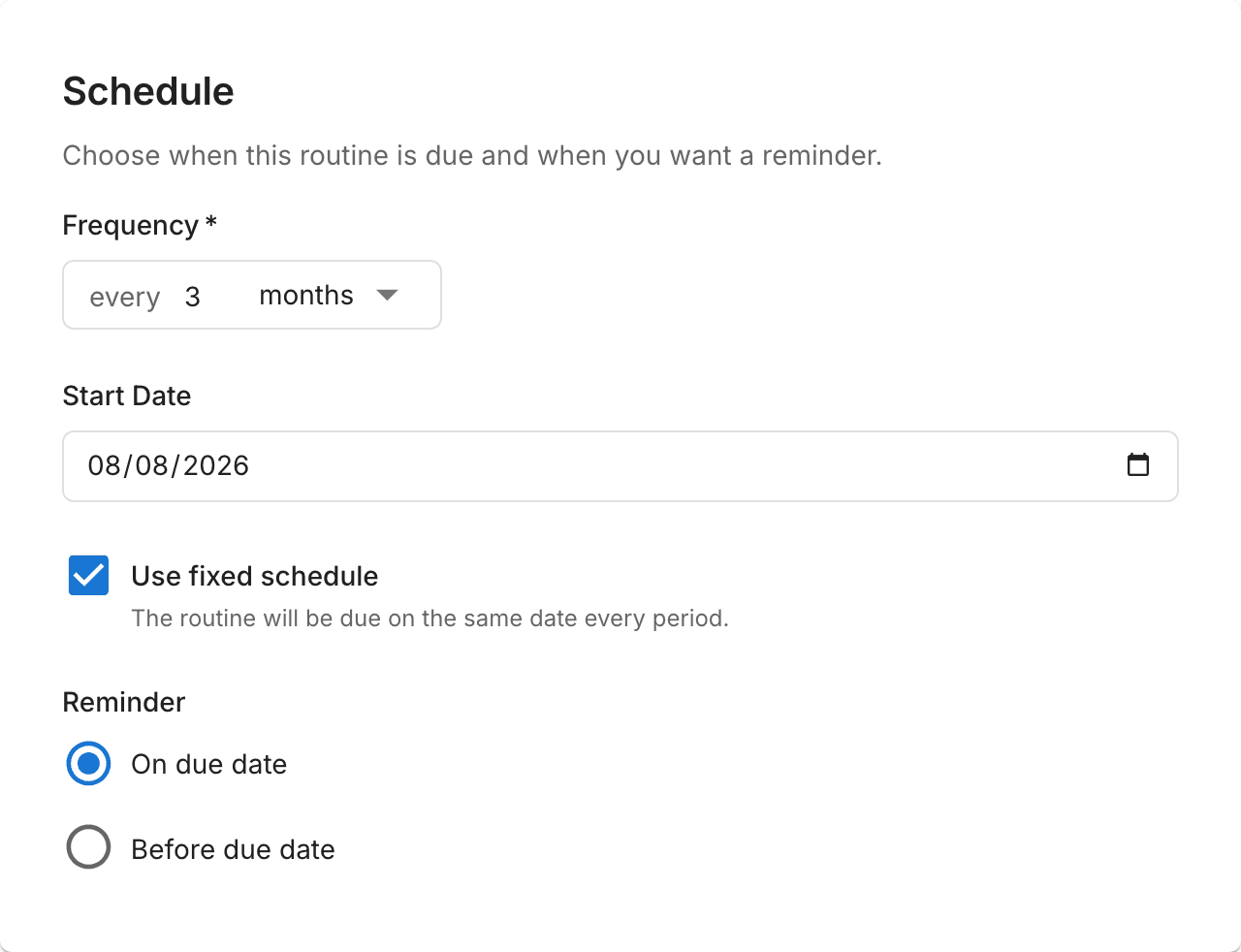
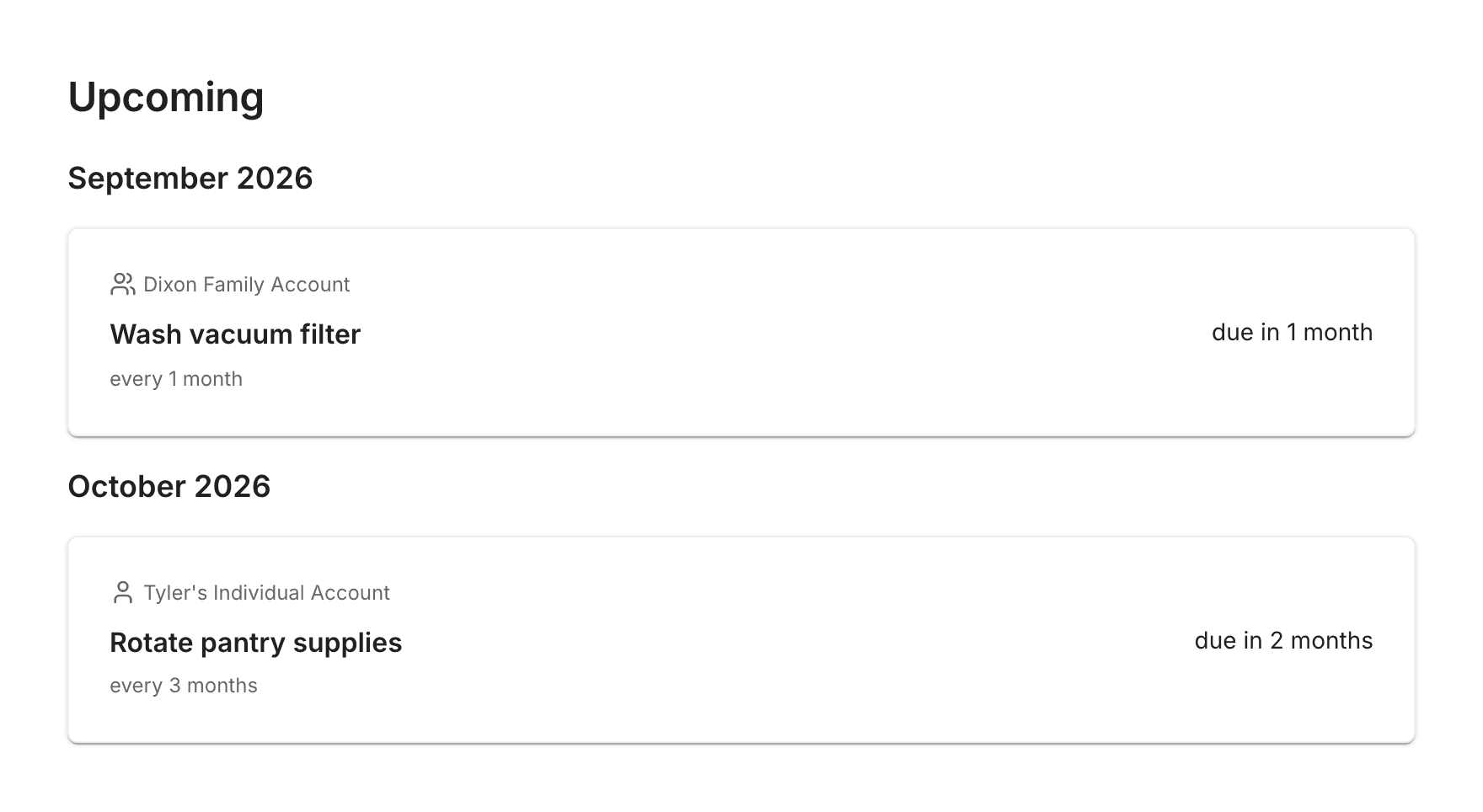
See what needs attention next
Work from clear current and overdue states, then look ahead at upcoming routines grouped by when they are scheduled.
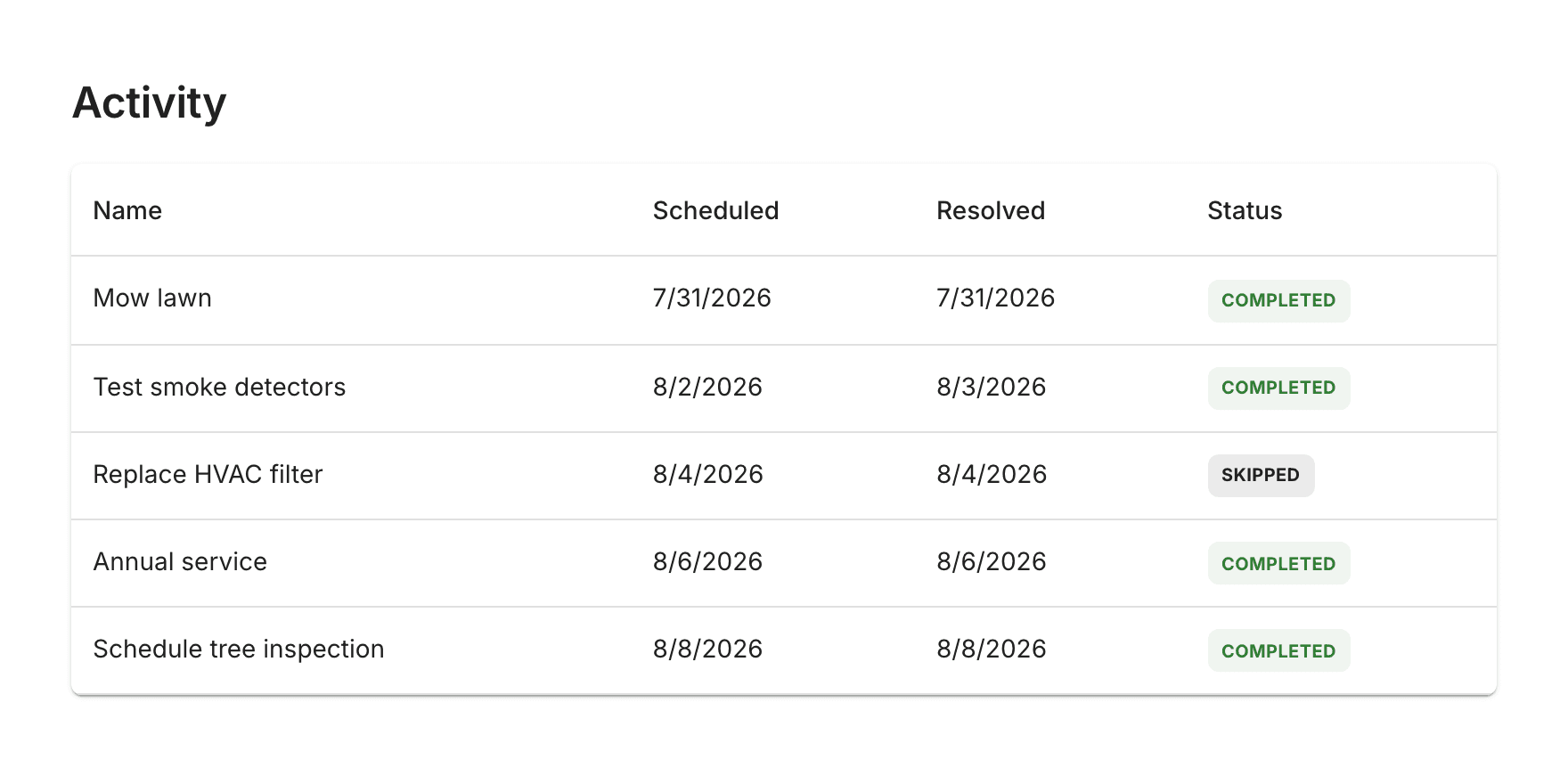
Product detail
Keep a reliable record
See whether a routine was completed or skipped, when it was handled, and who took care of it when the work is shared.
Use cases
Useful for everyday routines of all kinds.
Keep recurring responsibilities organized wherever the work happens.
30 days free. No credit card needed.
Choose the account that matches how you work.
Keep 3 personal routines for free, or choose a monthly plan for unlimited routines. Family and Organization plans include Individual Premium for every active member.
Individual
Manage your own recurring maintenance.
Family
Coordinate recurring maintenance with up to two admins and three members.
Organization
Give any number of admins and members a shared view of recurring work.
Frequently asked questions
A few things to know about Useful Routine.
Useful Routine is focused on infrequent recurring work that is easy to lose track of.
Is Useful Routine a to-do list app?
Yes, but it is designed for recurring work rather than one-time tasks with a single deadline. It is best for weekly, monthly, seasonal, or otherwise infrequent tasks where you need to remember when the work was last completed and know when it should happen again.
Can I use it for home maintenance?
Absolutely. Use it for hands-on maintenance such as changing HVAC filters, checking smoke detectors, replacing a sump pump battery, or sealing exterior masonry. These are the jobs that help your home and its assets perform well, retain their value, and reach their expected lifespan.
Can I share routines with other people?
Yes. Family and Organization accounts give every member a shared view of their routines. Admins manage the routines, and every member can see and complete them.
Is there a free plan?
Yes. Individual Free includes 3 routines, with scheduling, reminders, and history. Paid plans include unlimited routines and start with 30 days free, without a credit card. Family and Organization accounts need a paid plan after the trial.
Get started
Build a better system for recurring work.
Stay on top of the work that keeps homes, equipment, and day-to-day operations running.